Loading Starter Deck 2006…

Theme

Currency

Starter Deck 2006 checklist

Yu-Gi-Oh! TCG · Mar 2006 · 40 cards

Collecting

About Starter Deck 2006

Starter Deck 2006 is a Yu-Gi-Oh! TCG deck released on 23 March 2006, in the GX era. It has 40 cards.

This free checklist lets you tick off the cards you own, count spare copies for trading, see your progress by rarity and plan your binder pages. It works on phones and computers, even offline, and your collection stays on your device.

Card details and images come from YGOPRODeck, and prices from TCGplayer.

Most valuable Starter Deck 2006 cards

  1. Jar of GreedYSD-EN036 · Common£3.95$5.22
  2. Heavy StormYSD-EN027 · Common£2.59$3.42
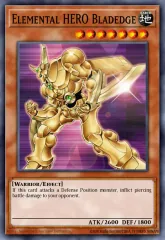
  3. Elemental HERO BladedgeYSD-EN019 · Ultra Rare£0.92$1.22
  4. Warrior of ZeraYSD-EN006 · Common£0.61$0.81
  5. Magician of FaithYSD-EN012 · Common£0.50$0.66
  6. Luster Dragon #2YSD-EN003 · Common£0.42$0.56
  7. Sakuretsu ArmorYSD-EN037 · Common£0.42$0.55
  8. Magic CylinderYSD-EN040 · Common£0.40$0.53
  9. Spear DragonYSD-EN015 · Common£0.36$0.48
  10. Elemental HERO ClaymanYSD-EN009 · Common£0.36$0.47

TCGplayer market prices, updated 15 Nov 2026. Pounds are converted from US dollars.

Starter Deck 2006 card list 40 cards

Cards YSD-EN001–YSD-EN040

  1. YSD-EN001 Gazelle the King of Mythical Beasts Common
  2. YSD-EN002 Warrior Dai Grepher Common
  3. YSD-EN003 Luster Dragon #2 Common
  4. YSD-EN004 Dark Blade Common
  5. YSD-EN005 Luster Dragon Common
  6. YSD-EN006 Warrior of Zera Common
  7. YSD-EN007 Elemental HERO Avian Common
  8. YSD-EN008 Elemental HERO Burstinatrix Common
  9. YSD-EN009 Elemental HERO Clayman Common
  10. YSD-EN010 Elemental HERO Sparkman Common
  11. YSD-EN011 Skelengel Common
  12. YSD-EN012 Magician of Faith Common
  13. YSD-EN013 Kuriboh Common
  14. YSD-EN014 Princess of Tsurugi Common
  15. YSD-EN015 Spear Dragon Common
  16. YSD-EN016 Spirit Caller Common
  17. YSD-EN017 The Trojan Horse Common
  18. YSD-EN018 Mirage Dragon Common
  19. YSD-EN019 Elemental HERO Bladedge Ultra Rare
  20. YSD-EN020 Ookazi Common
  21. YSD-EN021 Black Pendant Common
  22. YSD-EN022 Gaia Power Common
  23. YSD-EN023 Premature Burial Common
  24. YSD-EN024 Red Medicine Common
  25. YSD-EN025 Fissure Common
  26. YSD-EN026 Tribute to the Doomed Common
  27. YSD-EN027 Heavy Storm Common
  28. YSD-EN028 The Warrior Returning Alive Common
  29. YSD-EN029 Dark Factory of Mass Production Common
  30. YSD-EN030 Monster Reincarnation Common
  31. YSD-EN031 Brain Control Common
  32. YSD-EN032 Reinforcements Common
  33. YSD-EN033 Castle Walls Common
  34. YSD-EN034 Ready for Intercepting Common
  35. YSD-EN035 Dust Tornado Common
  36. YSD-EN036 Jar of Greed Common
  37. YSD-EN037 Sakuretsu Armor Common
  38. YSD-EN038 Compulsory Evacuation Device Common
  39. YSD-EN039 Cemetary Bomb Common
  40. YSD-EN040 Magic Cylinder Common

Starter Deck 2006 FAQ

How many cards are in Starter Deck 2006?

Starter Deck 2006 has 40 cards.

What rarities are in Starter Deck 2006?

Counting each card once, without other rarities:

When did Starter Deck 2006 come out?

Starter Deck 2006 was released on 23 March 2006.

Is this Starter Deck 2006 checklist free?

Yes. Binder Tracker is free, with no ads, no sign-up and no tracking. Your collection is saved on your own device and works offline, and Export or share moves it to another device as a link, code, QR code or file.
Characters in Starter Deck 2006

Collect every card of a character, across all sets: Kuriboh and Elemental HERO Sparkman.

More GX checklists

0

← → to browse · Space to mark · +/− copies · Esc to close

Filters

Show

Rarity

Section

Sort

Card size

Pockets per page

Fill gapsStart each section straight after the last, with no empty pockets
Fade missing cardsOwned cards stay in full colour
Section orderChoose the order the sections run in

Statistics

Quick add

Separate with commas or spaces. 1-22 is a range and 55x2 is two copies.

Trade list link

A page for anyone, even if they don’t use Binder Tracker. It shows the cards you can trade and the ones you need from this set, with market prices.

Cards I can trade
Include my single copiesOffer cards you only have one of
Show how many copiesTurn off to list the cards without saying how many you have
Cards I need

Up for trade

Tap a card to leave it out of the link.

    Looking for

    Tap a card to leave it out of the link.

      Export or share

      Import

      Paste a link or code from Export or share, or a friend’s trade code. Older sync links and backup codes work too. You can also scan a QR code or choose a backup file.

      Shared collection

        Scan a QR code

        Point the camera at a QR code from Export or share. It’s read on your device, and nothing is uploaded or saved.

        Section order

          Help & shortcuts

          Marking cards

          • Tap a card to mark it owned, and tap again to unmark it.
          • Mark many at once: on a phone, press and hold a card, then drag across others. With a mouse, click and drag. Hold near the top or bottom edge to keep scrolling.
          • Shift-click marks every card between your last click and this one.
          • Count mode () makes each tap add a copy, which is handy when logging packs. Use − to remove one.
          • Quick add takes card numbers such as 1-22, 55x2.
          • Section order () lets you move whole sections, say the secret rares before the reverse holos, to match your binder. Cards keep their set order within each section.
          • Card info () shows where to get a card, rough pull odds and its market price, with links to check live prices.
          • Every change can be undone from the pop-up or with Ctrl+Z.

          Keyboard

          /
          Search
          ←→↑↓
          Move between cards
          Space
          Mark / unmark
          V
          View the card large
          I
          Card info and price
          +−
          Add / remove a copy
          M
          Switch Check / Count mode
          Q
          Quick add
          CtrlZ
          Undo (add Shift to redo)
          ?
          This help

          Keeping your collection safe

          • Your collection is saved only in this browser on this device. Nothing is uploaded.
          • Use Export or share with Whole collection now and then to save a file or copy a link or code. Import on another device takes the link, code, QR code or file.
          • On iPhone and iPad, tap Share → Add to Home Screen. Safari can clear saved data for websites you haven’t visited in a while, but not for apps on your Home Screen, and the app also works offline. The app keeps its own collection, separate from Safari’s, so use Import to move your cards into it.

          Read the privacy & cookie policy and terms of use.

          Scan a card

          Recognised on your device. Photos aren’t uploaded or saved.